Recipe - Auto-Select Check-In Areas
Skill level: Intermediate
Organization: The Well Community Church
{# strip images & classes from the HTML but otherwise leave structure #}
Note: I know this recipe is pretty hacky, but it works for what I needed. I will update this if I ever find a better solution. Please comment below if you have any better ideas.
Description
We had some concerns about having to change all of the selected check-in areas every time the selected Check-In Configuration is changed on the Rock unattended check-in Admin page, so I set out to figure out how to automate that process.
The script in this recipe will automatically select all of the check-in areas for the current Check-In Configuration and deselect and hide all of the Additional Areas whenever the Kiosk Device or Check-In Configuration fields are changed.
How To
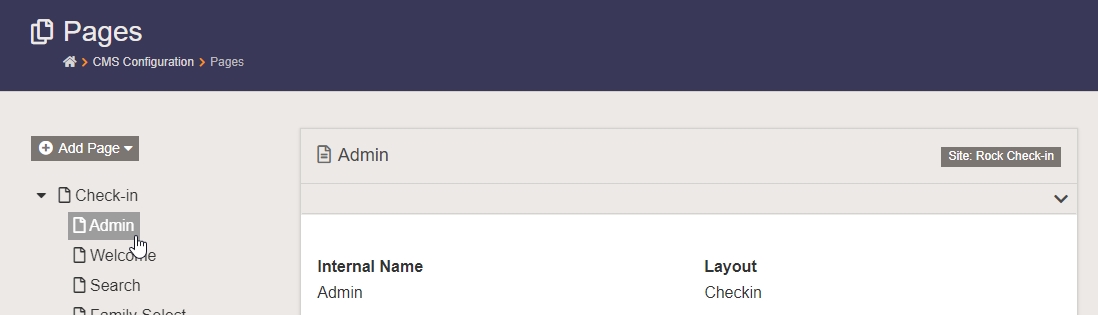
- Go to Admin Tools > CMS Configuration > Pages and find the check-in Admin page.
- Edit the block properties for the Administration block in the Main zone.

- Under Advanced Settings, add this script block to the Pre-HTML box:
<script type="text/javascript">
    $(document).ready(function()
    {
        //make sure the correct areas are checked to start with
        SelectAreas()

        //handle changes to any of the fields
        $('.administration').change(function()
        {
            //delay the action to give the DOM time to update
            //increase the delay if results aren't consistent
            setTimeout(SelectAreas, 300);
        });

        //make sure only areas associated with the current check-in config are checked
        //TODO: find a less hack-ish solution
        function SelectAreas()
        {
            //check the areas for the current config
            $('.rock-check-box-list').first().find('.checkbox input').attr('checked', 'checked');

            //uncheck and hide all "additional areas" checkboxes
            $('.rock-check-box-list').last()
                .find('.checkbox input')
                    .removeAttr('checked')
                .end()
                .hide();
        }
    });
</script>
Go to your check-in site and try it out. If it's working correctly, all of the checkboxes under Check-In Area(s) should be checked and the Additional Check-In Areas section should be hidden.
I have tested this as well as I could, but please let me know if you come across any issues or if you come up with a less hacky solution.
Also, if anyone can give me a example of why I would ever want to choose a certain check-in configuration, but then choose areas from a different check-in configuration, I'd really be interested to find out why the Additional Areas section is even available.
Follow Up
Please don't hesitate to leave a comment or hit me up on Rock Chat (@JeffRichmond) if you have questions or find any issues with this recipe.
Change Log
- 2019-09-27 - Initial Version
Screenshots
- /GetImage.ashx?guid=0a8b8a6b-4c15-40e9-957b-868a50f5ecd4
- /GetImage.ashx?guid=c1785400-15c6-448f-8fd6-5e19b825841e