Recipe - Lava Webhook to Create an iCal (.ics) File
Skill level: Intermediate
Organization: The Creek
Requires Rock: 1.16.13
{# strip images & classes from the HTML but otherwise leave structure #}
What does it do?
This webhook creates a file that can be downloaded to add an item to someone's calendar on their device. The contents of the .ics file are written per RFC 5545 specifications.
How do I set it up?
- Navigate to General Settings -> Defined Types -> Lava Webhook
- Create new webhook with the below details
- Value: createIcsFile
- Description: Webhook used to created calendar items to be added to a person's personal calendar
on their phone or computer. This webhook is utilized by calendar event items on the website and also by
various QR codes.
- Method: GET
- Template: Paste in the attached lava template.
- Enabled Lava Commands: Enable Rock Entity
- Response Content Type: text/calendar
How do I use this webhook?
You can use this webhook to create iCal (.ics) files. Using the below parameters, you can set the dates, time, location, and other properties.
If you're using the webhook for an EventItem entity, you only need to use the eventItem parameter. This will use the populate the file with the iCal information from the schedule of the Event Item.
Otherwise, you can use the parameters to set the iCal properties. The table below shows the parameters and how they are used.
| Query Parameter |
Description |
Required for Event Item |
Required w/o Event Item |
| eventItem |
Pass in the Guid of the EventItem entity. |
YES |
NO |
| startDate |
The date, in yyyy-mm-dd format, the event begins. |
NO |
YES |
| startTime |
The time, in hhmm format, the event begins. |
NO |
YES |
| endTime |
The time, in hhmm format, the event ends. |
NO |
YES |
| duration |
Used to set a Recurring Rule.
This parameter is treated as the number of days this event occurs and can be used with or without the &startDate parameter.
Examples:
- If
&duration=15 is used, the event will have an RRULE set to end 15 days from the date of file creation.
- If
&duration=15&startDate=2026=06-01 is used, the event will have an RRULE set to end June 16, 2026.
|
NO |
NO |
| eventName |
The name of the event as it should appear in the user's calendar. This is also used to set the UID in the ics file. |
NO |
NO |
| description |
The description to be seen by the user in their calendar. |
NO |
NO |
| location |
The location of the actual event. This is a text value, so it can be as simple as "Conference Room A" or an actual address "123 Anywhere St". |
NO |
NO |
Example usages:
- When used for event items, set the value of the eventItem parameter to its Guid.
- URL: https://<yourdomain>.org/webhooks/lava.ashx/createIcsFile?eventItem=<Guid>
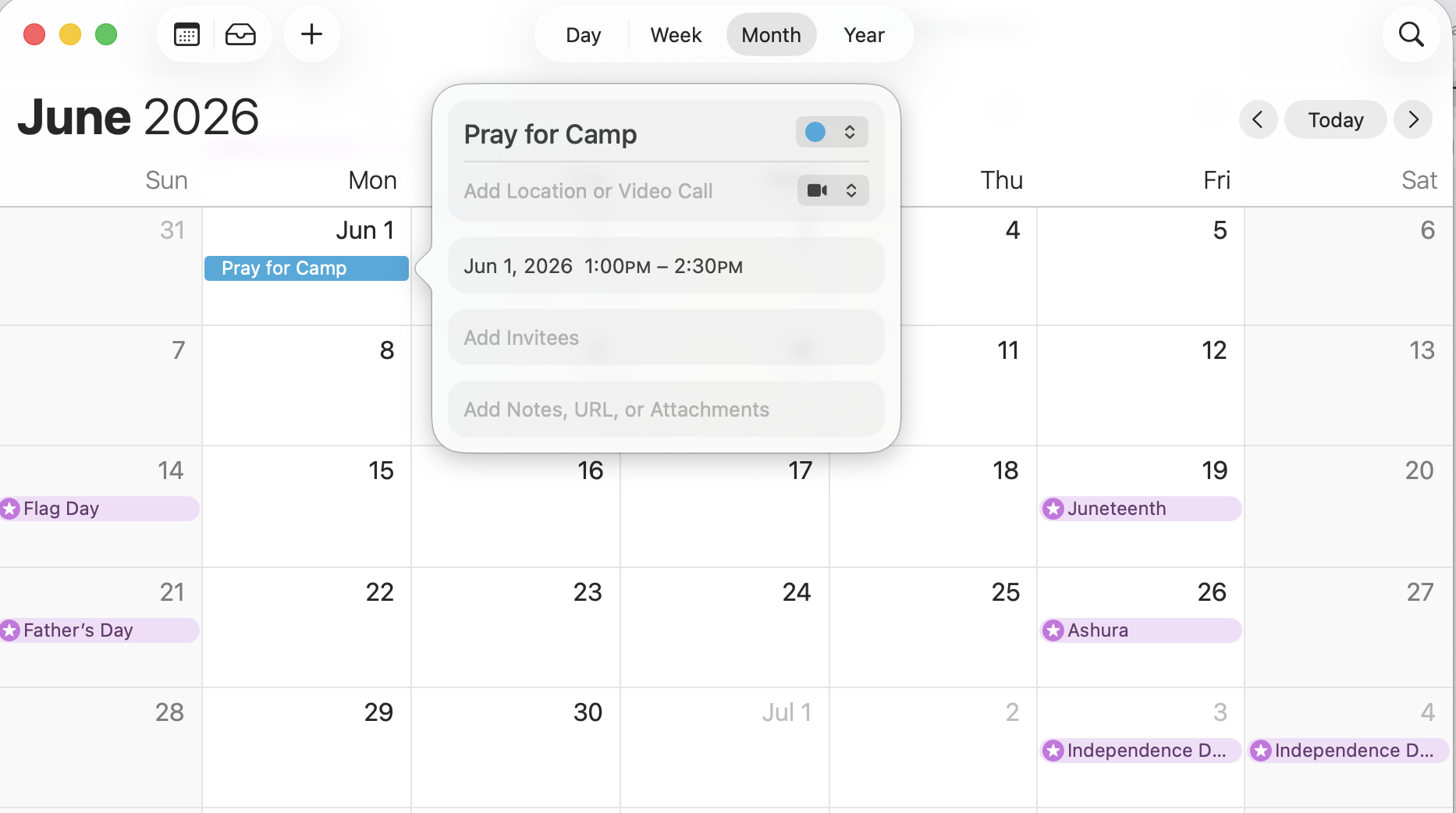
- Example to add a prayer item to a person's calendar for kids camp.
- URL: https://<yourdomain>.org/webhooks/lava.ashx/createIcsFile?name=Pray%20for%20Camp&startTime=1300&startDate=2026-06-01&endTime=1430
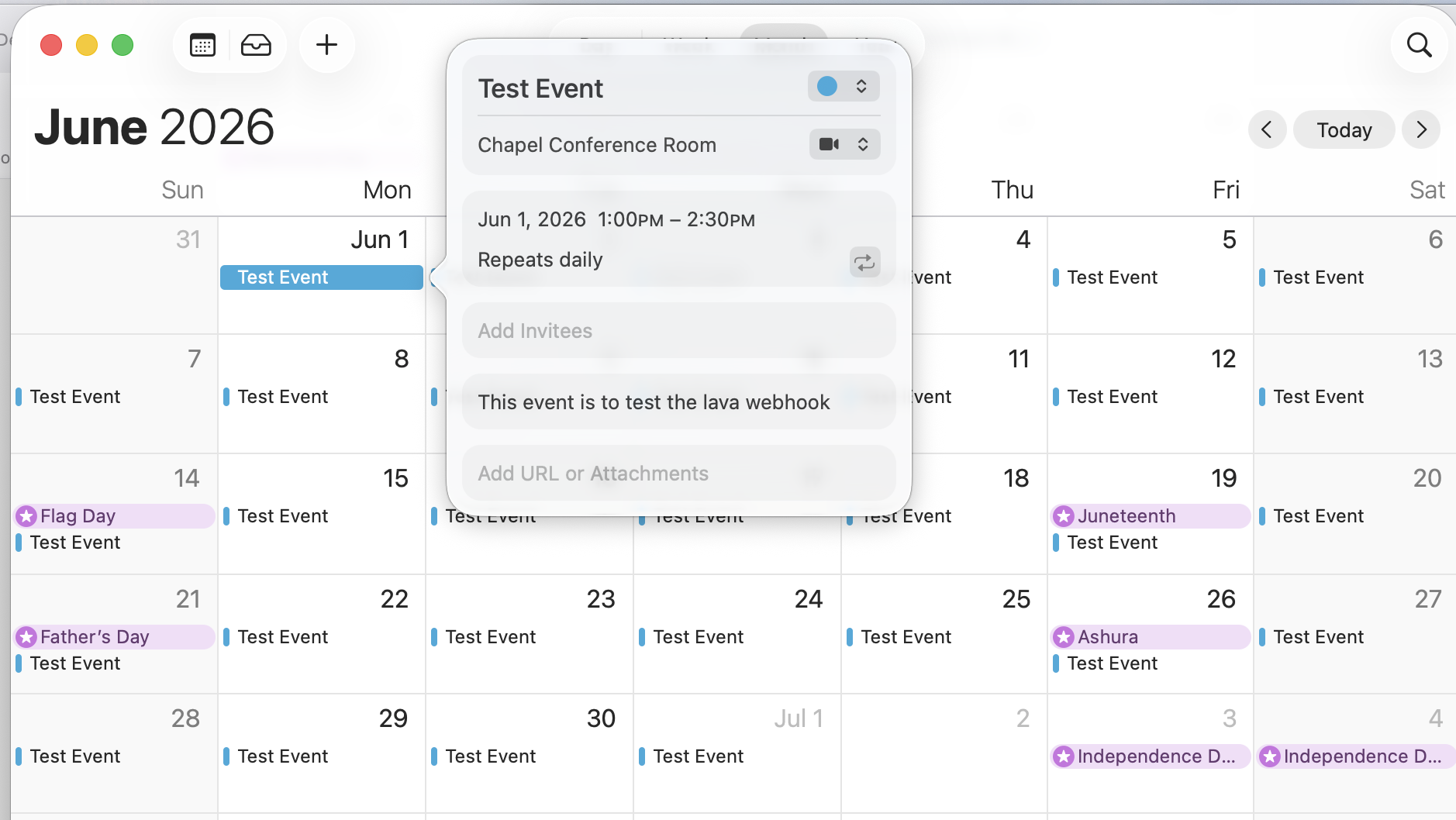
- Example Full Usage
- URL: https://www.<yourdomain>.org/webhooks/lava.ashx/createIcsFile?name=Test%20Event&startTime=1300&startDate=2026-06-01&duration=30&endTime=1430&description=This%20event%20is%20to%20test%20the%20lava%20webhook&location=Chapel%20Conference%20Room
Download related file (iCal_Webhook_Template.lava)