Recipe - QR Code Check-in System
Skill level: Beginner
Organization: Liquid Church
{# strip images & classes from the HTML but otherwise leave structure #}
Overview
Are some of your ministry partners struggling to capture attendance? Depending on the context, neither of Rock's attendance options may not be workable:
- Check-in - requires admin set up and specialized equipment
- Group Attendance - can be hard logistically for larger or more dynamic events
Of course, Rock has other check-in options, such as self check-in and derivatives of check-in such as mobile check-in, but these aren't perfect for some contexts. Some examples where we struggled:
- Our Next Gen events - 50+ twenty-somethings arriving at different times
- Connection events - assimilation lunch following services
We were looking for a simple solution which would allow our guests to check into events using a simple QR code. This solution is a logged in page where guests can easily check in multiple family members.
Workflow
Central to this system is the attached workflow, which prompts for family members to check-in and sets group attendance for each.
Page
Create a page to host the workflow for each use case.
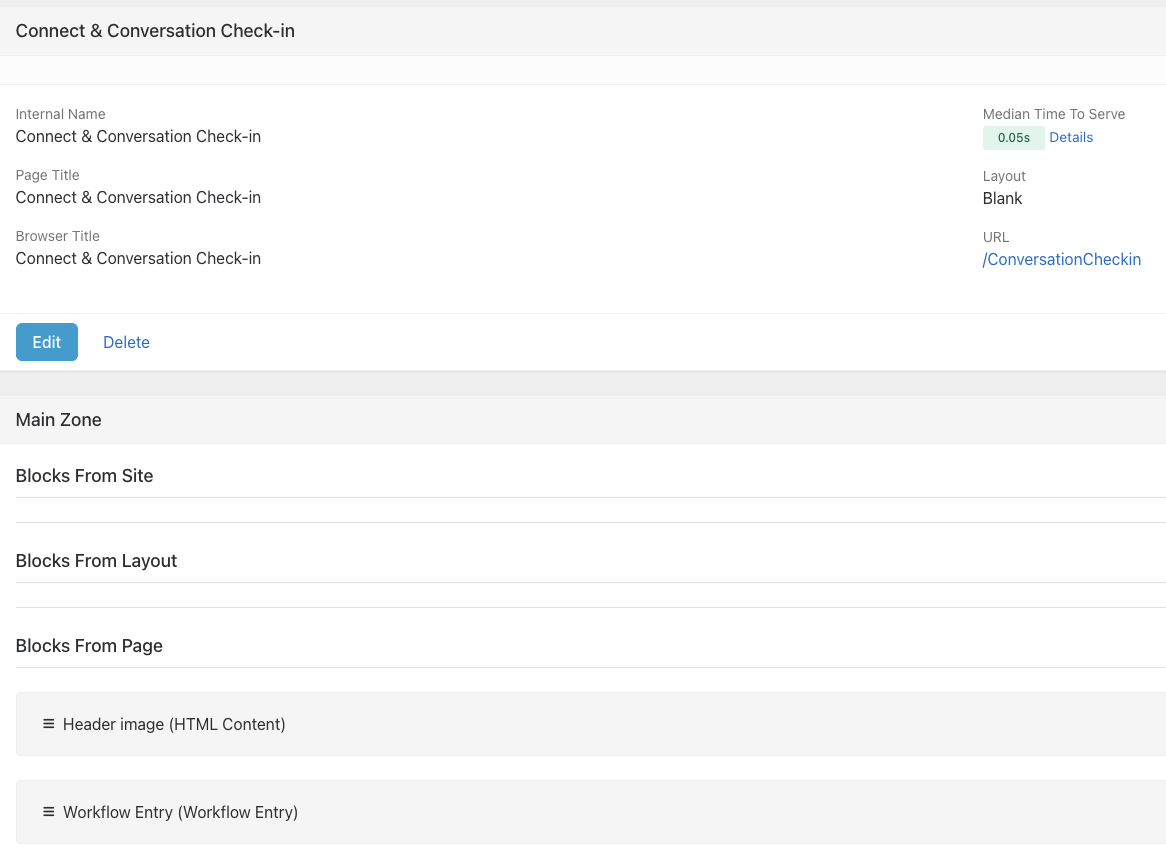
Creating The Check-in URL
You will also need to create or identify a group where you are recording attendance. The page and group are passed to the workflow in the URL - the page title is used to set the form title in the workflow. If you have the page and group Ids, you can use SQL to grab the guids:
SELECT guid FROM [Page] WHERE Id=xxx        -- returns page guid
SELECT guid FROM [Group] WHERE Id=xxx       -- returns group guid
Once you have the guids, you can form the check-in URL and you are all set. Here is a sample URL:
https://app.liquidchurch.com/ConversationCheckin?Page=083abbb9-92c0-ab87-8e08-7acc0e1b9097&Group=5a9f4aea-15aa-42ee-8ea3-f5c2a585cc9d
As mentioned, we create a QR code with the URL.
Closing Thoughts
We've designed this so that one workflow works with any number of groups (by passing the group and page), but this can also be "hard-coded" and simplified. For instance, you can create a generic "check-in page" and set the page in the workflow. There are probably other ways to customize this experience.
Feel free to reach out to me on Rocket Chat @Steve.Klein if you have any questions!
Download related file (Check_in_To_Group_Attendance_202504242254.json.txt)
Screenshots
- /GetImage.ashx?guid=1b386413-b986-4424-a660-cb74c4ea3682
- /GetImage.ashx?guid=b60bd0cc-71fa-447f-af8d-6ad50cc1d9b5