Recipe - Dismissible Alerts Via Lava Short code
Skill level: Advanced
Organization: College Church (Wheaton)
Requires Rock: 1.16.5
{# strip images & classes from the HTML but otherwise leave structure #}
What
Create dismissible alerts for users that will only be shown once to users to highlight new features of time-sensitive communication.
Examples
Site-wide Modal Alert
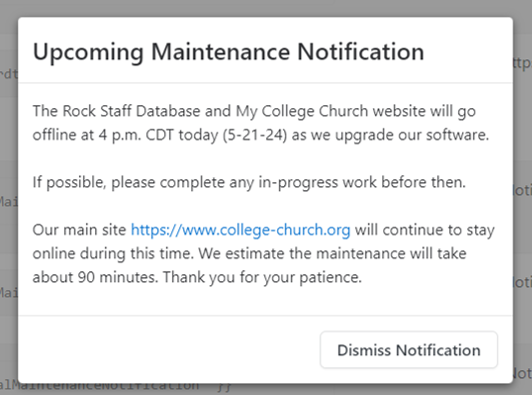
Page Specific Standard Alert
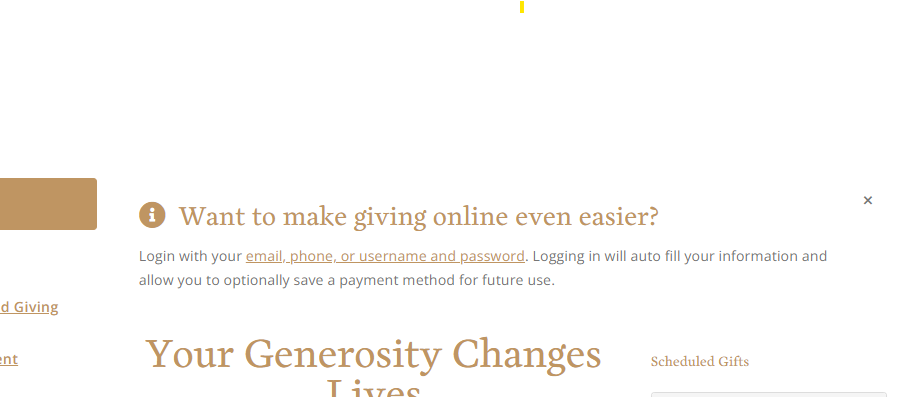
Why
There are some pieces of content users only need to see once. I needed a simple reuseable mechanism for adding this content to a page and hiding it on all future page loads after the user dismissed the alert. I also want to deliver critical information via pop up modals whereas other alerts were needed somewhere specific on the on the page.
How
To build out this recipe we are going to leverage boostrap alerts and bootstrap modals. To remember that a user has dissmissed an alert we are going to leverage the localStorage property, a web storage mechanism that allows websites to store key-value pairs in a user's browser.
- To get started navigate to your Lava Shortcode page Home > CMS Configuration > Lava Shortcodes
- Add a new Lava Shortcode with the following Settings
Name: Dismissible Alert
Tag Name: alertdismissible
Description: Provide an alert to a user that will not show up again after they dismiss it.
Documentation: https://pastebin.com/RFvV10B6
Make sure to click into the Code Editor before adding the html/lava below for the documentation field
Shortcode Markup: https://pastebin.com/gUWXUic9
Parameters:
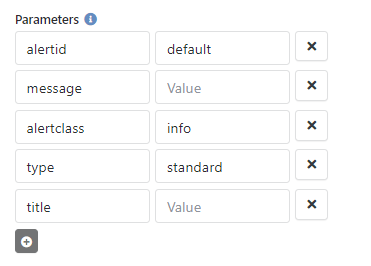
Here are a couple examples of how you might use this shortcode:
{[ alertdismissible alertId:'test2-14-23-1' message:'Test Message' alertClass:'info']}
{[ alertdismissible alertId:'test2-14-23-2' message:'Test Message' alertClass:'info' type:'modal' title:'Important Notification']}If you update the message of an alert you may also want to update the alertId value so that users who previously dismissed the alert see the updated alert message.
Creating a site-wide modal notification
If you want to add a notification that will displayed site wide follow the steps below:
- Navigate to the Page Editor Page: Home > CMS Configuration > Pages
- Select any page that belongs to the site (Internal/External...) you want the notification to appear on
- Select the footer zone for editing
- Add an html content block to the Site area
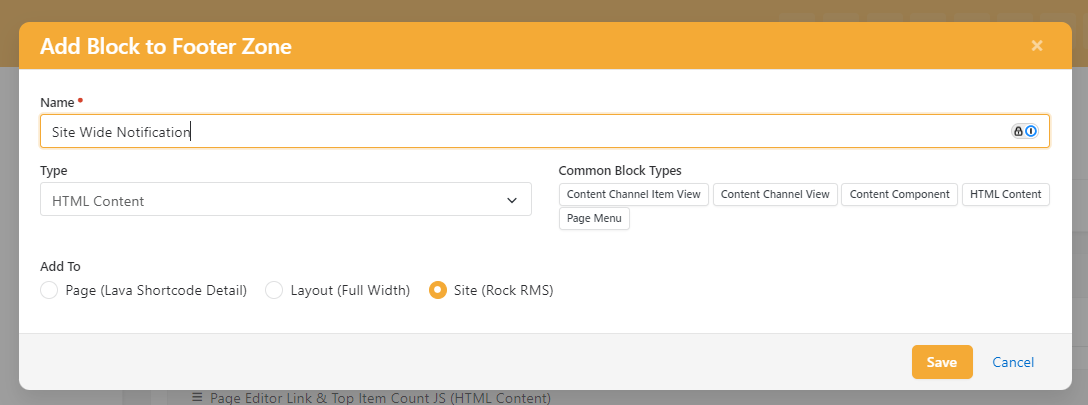
- Add you dismissible lava short code to the block
Download related file (image.png)