Recipe - Disabled SMS Mobile Phone Warning On SMS Conversations Block
Skill level: Beginner
Organization: Sun Valley Community Church
Requires Rock: 1.12.0
{# strip images & classes from the HTML but otherwise leave structure #}
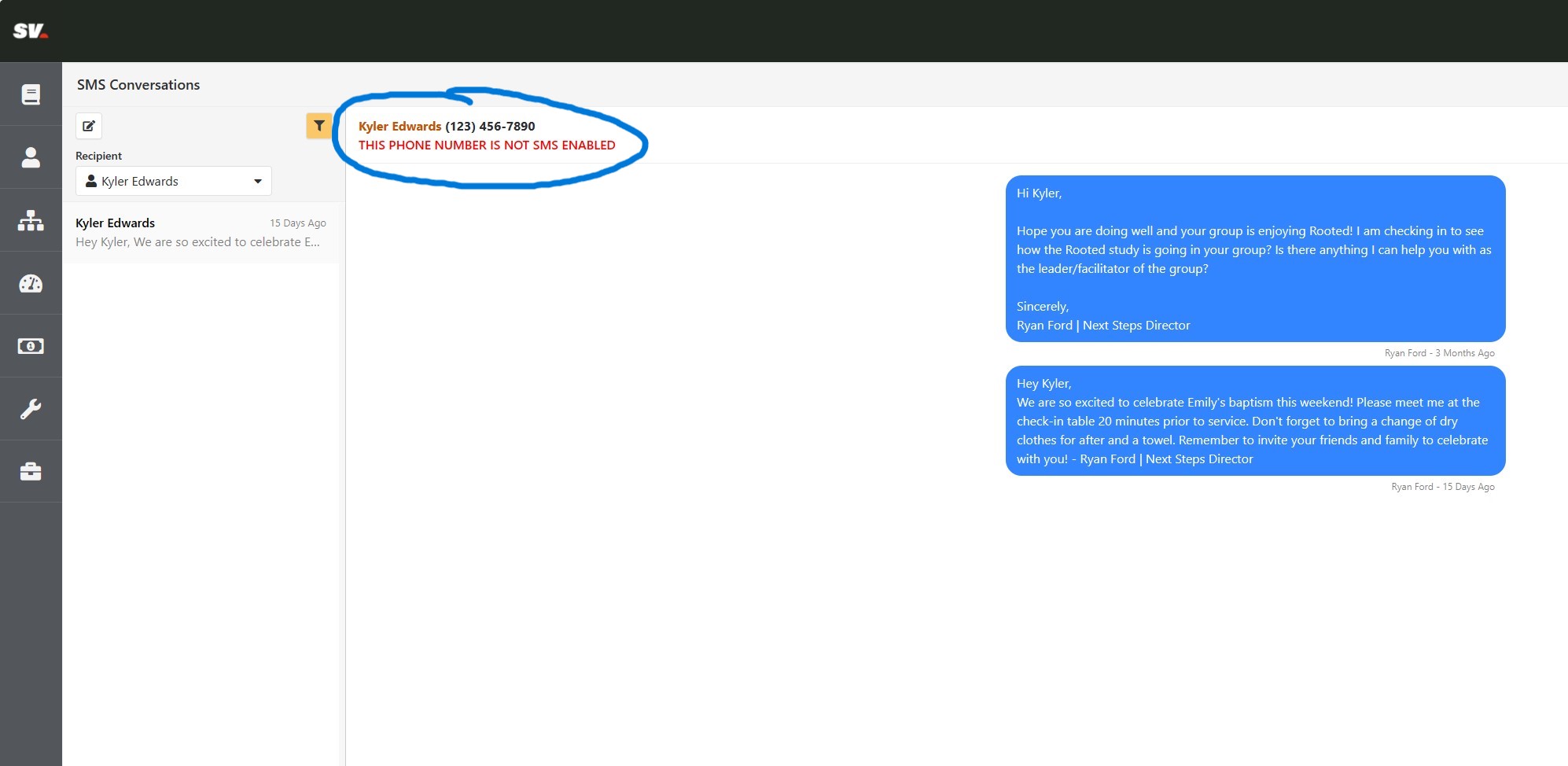
Our church staff was experiencing an issue where an attendee would text them and they thought they had sent a text back through Rock via the SMS conversations block, but the attendee never received the message due to their mobile phone not being SMS enabled.
The SMS conversation block has a little pending message when the text hasn't sent, but staff are usually responding to a bunch of texts so as soon as they see the new blue message bubble they move on.

To help make it a bit more obvious that the person they think they are going to send a text to will not receive their message, I replaced the lava found in the SMS Conversations block settings for "Person Info Lava Template". It replaces the name with a link to the person's Rock profile, and it lets the user know if their mobile phone is SMS enabled or not.
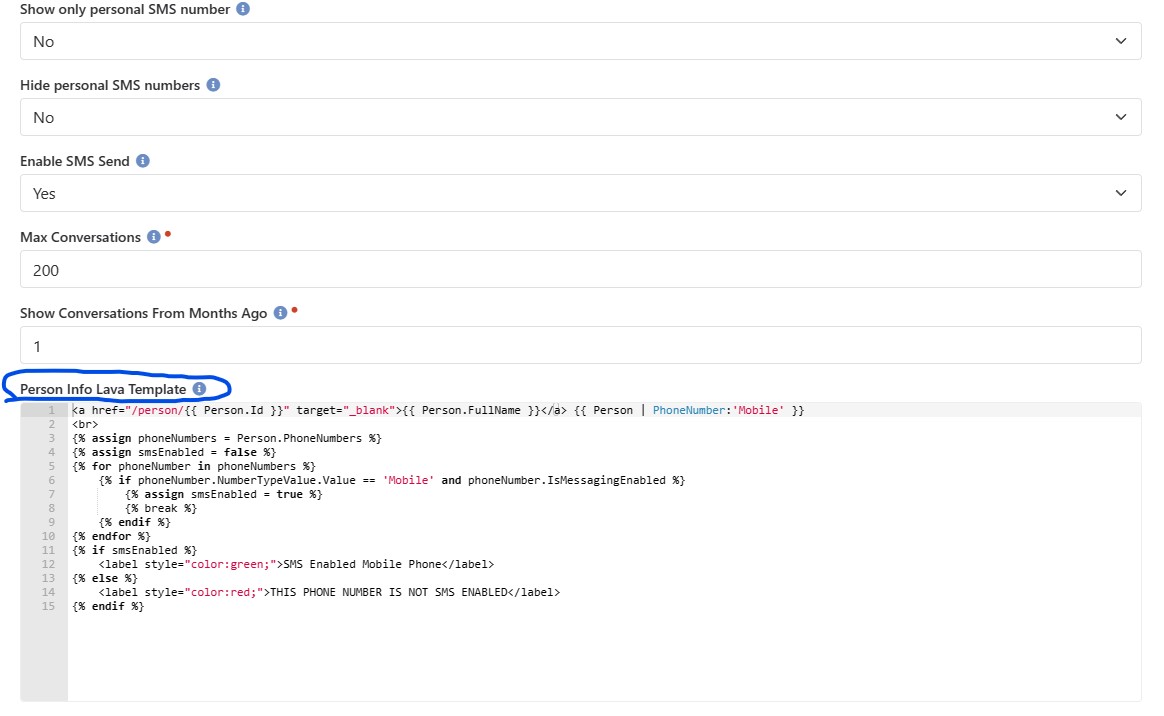
Here is the lava:
<a href="/person/{{ Person.Id }}" target="_blank">{{ Person.FullName }}</a> {{ Person | PhoneNumber:'Mobile' }}
<br>
{% assign phoneNumbers = Person.PhoneNumbers %}
{% assign smsEnabled = false %}
{% for phoneNumber in phoneNumbers %}
{% if phoneNumber.NumberTypeValue.Value == 'Mobile' and phoneNumber.IsMessagingEnabled %}
{% assign smsEnabled = true %}
{% break %}
{% endif %}
{% endfor %}
{% if smsEnabled %}
<label style="color:green;">SMS Enabled Mobile Phone</label>
{% else %}
<label style="color:red;">THIS PHONE NUMBER IS NOT SMS ENABLED</label>
{% endif %}