Recipe - Decline Reason in Scheduling Response Email
Skill level: Beginner
Organization: Fairhaven Church
Requires Rock: 1.11.0
{# strip images & classes from the HTML but otherwise leave structure #}
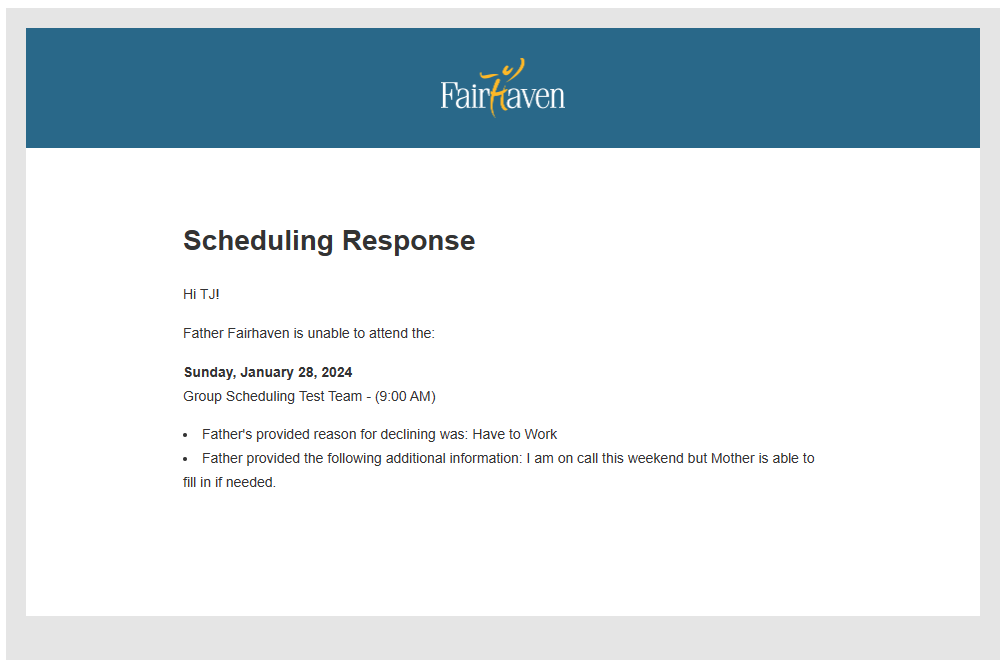
End Result: Let the Group Scheduler know the decline reason and decline note in the email they receive.
Core Build: If a person is scheduled but responds that they can't attend, the Schedule Cancellation Person to Notify for that group will receive a cancellation communication. This email simply states that the person scheduled is unable to attend.
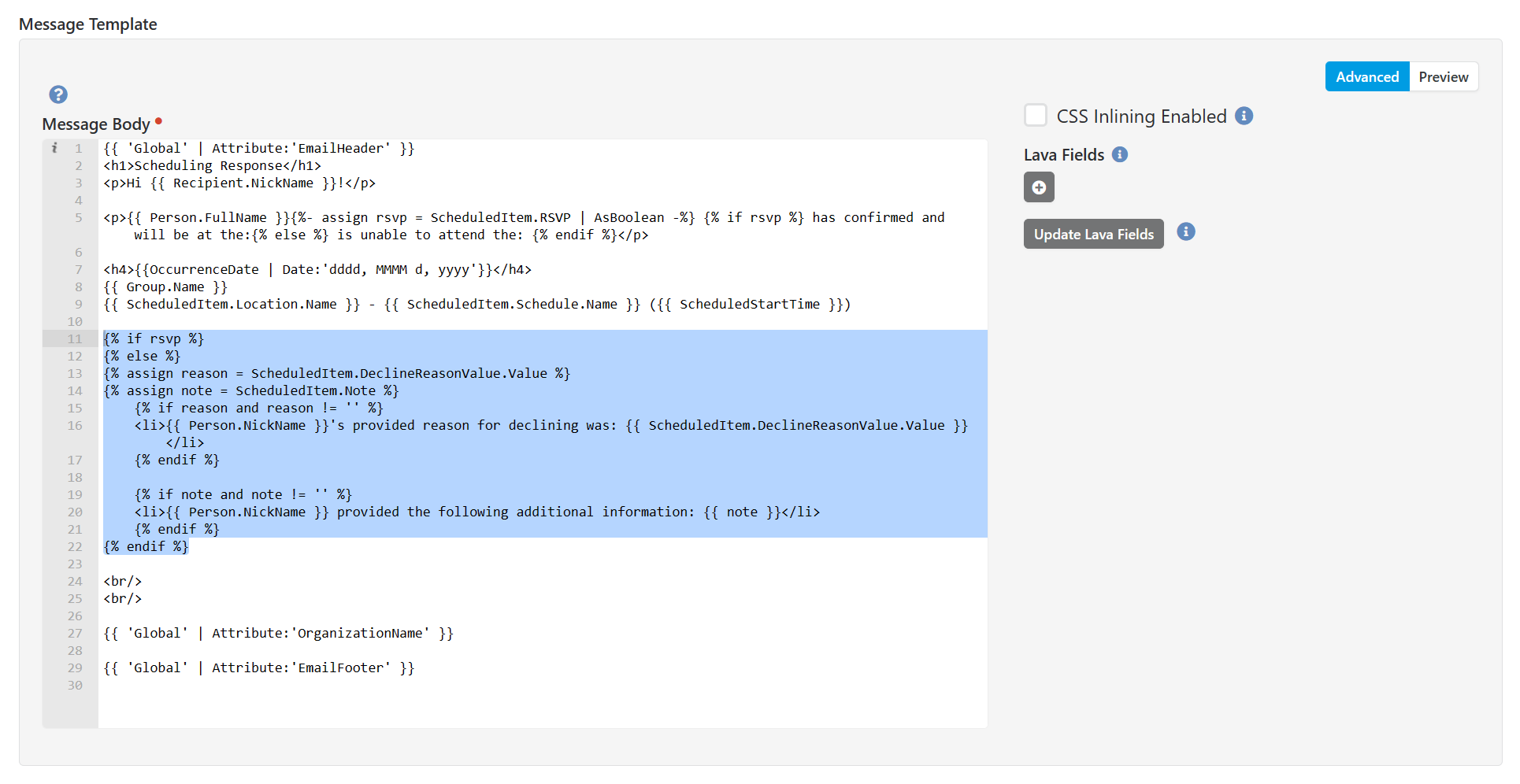
Enhancement: Add html and lava to the System Communication: Scheduling Response Email.
{% if rsvp %}
{% else %}
{% assign reason = ScheduledItem.DeclineReasonValue.Value %}
{% assign note = ScheduledItem.Note %}
    {% if reason and reason != '' %}
    <li>{{ Person.NickName }}'s provided reason for declining was: {{ ScheduledItem.DeclineReasonValue.Value }} </li>
    {% endif %}

    {% if note and note != '' %}
    <li>{{ Person.NickName }} provided the following additional information: {{ note }}</li>
    {% endif %}
{% endif %}
*Refer to Rock your Groups manual for additional Group Scheduler build.
- Your group must have a "Schedule Cancellation Person to Notify"
- The Group Schedule Confirmation Block settings should be reviewed