Recipe - Slicker Campus Filters
Skill level: Beginner
Organization: Liquid Church
Requires Rock: 1.13.7
{# strip images & classes from the HTML but otherwise leave structure #}
The Why
We have multiple locations so we are frequently building dynamic reports which include a campus filter. In the past, our campus filters would display all campuses by default or the selected campus. With a little bit of SQL and Lava, we found that we could include an All Campuses option in our campus filter and return the CurrentPerson campus by default.
The How
Most of our dynamic reports consist of a Page Parameter Filter block and a Dynamic Data block. We made small changes to how we used campus in these two blocks to upgrade our campus filters.
Page Parameter Filter Block
We set up Campus as a Single Select field type.
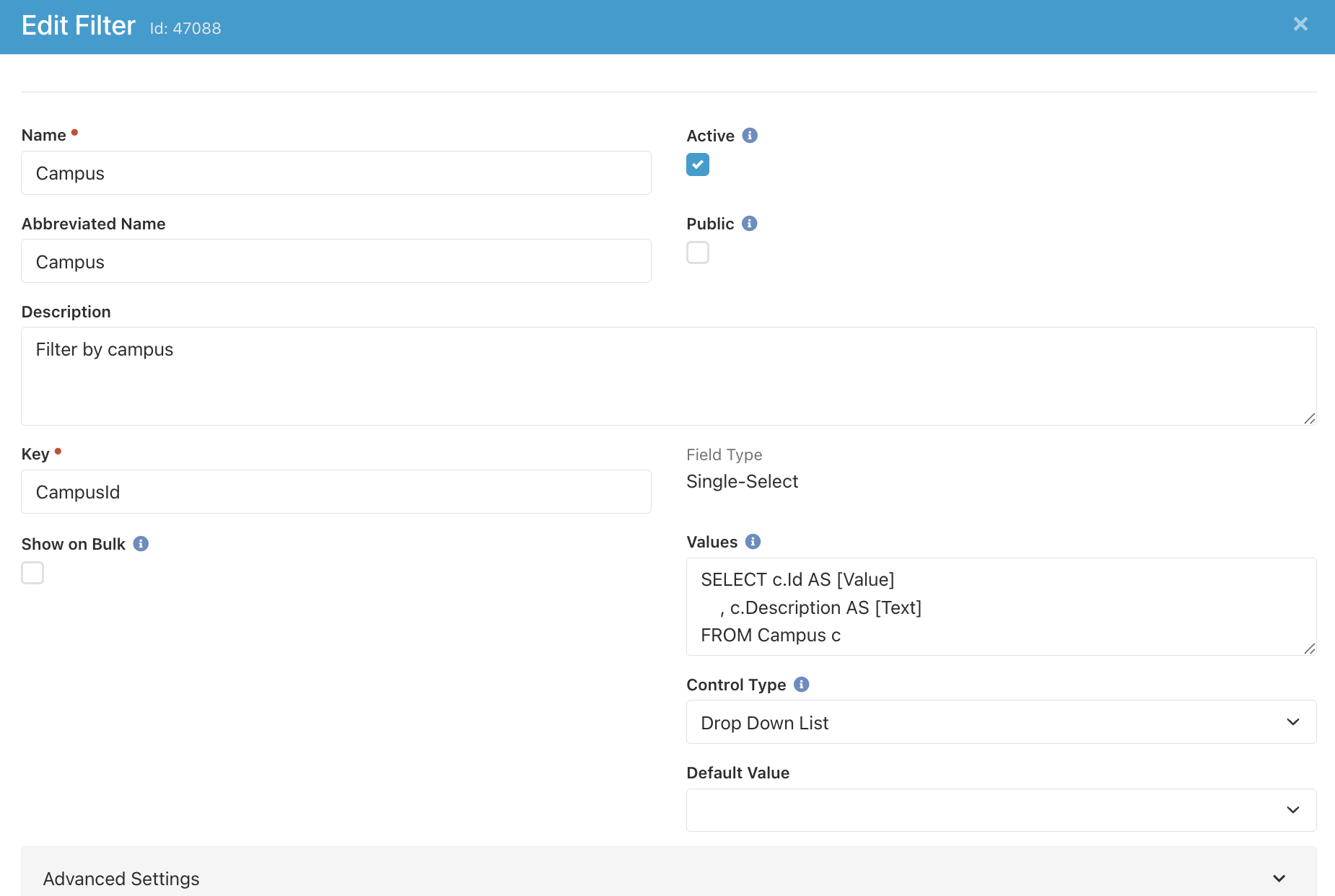
We added the All Campuses option to our Values definition (the UNION and the following line):
SELECT c.Id AS [Value]
 , c.Description AS [Text]
FROM Campus c
WHERE c.CampusTypeValueId=768   --Physical
UNION
SELECT 0 AS Id, 'All Campuses' AS Description
ORDER BY Description ASC
Dynamic Data Block
We added some Lava to our Dynamic Data block (the campus filter at the bottom of the SQL):
{% assign campusId = 'Global' | PageParameter:'CampusId' %}
{% assign smallGroupAttended = 'Global' | PageParameter:'SmallGroupAttended' %}
DECLARE @DaysAgo DATE = DATEADD(day, -{{ smallGroupAttended }}, GETDATE())      -- Small group attendance since this date
-- Attended a small group
SELECT DISTINCT p.Id
    , p.NickName AS [FirstName]
    , p.LastName AS [LastName]
    , c.Description AS [Campus]
FROM Attendance a
    INNER JOIN AttendanceOccurrence ao ON ao.Id=OccurrenceId
    INNER JOIN PersonAlias pa ON pa.Id=a.PersonAliasId
    INNER JOIN Person p ON p.Id=pa.PersonId
    INNER JOIN [Group] g ON g.Id=ao.GroupId
    INNER JOIN Campus c ON c.Id=p.PrimaryCampusId
WHERE a.DidAttend=1
    AND g.GroupTypeId = 40          -- Small Group
    AND ao.OccurrenceDate > @DaysAgo
    -- Not on a Dream Team roster
    AND p.Id NOT IN
    (
        SELECT p.Id FROM GroupMember gm
            INNER JOIN Person p ON pa.PersonId=gm.PersonId
        WHERE gm.GroupTypeId = 50       -- Dream Teams
    )
    -- Not active on the Dream Team Onboarding connection board
    AND p.Id NOT IN
    (
        SELECT p.Id FROM ConnectionType ct
            INNER JOIN ConnectionRequest cr ON cr.ConnectionTypeId=ct.Id
            INNER JOIN PersonAlias pa ON pa.Id=cr.PersonAliasId
            INNER JOIN Person p ON p.Id=pa.PersonId
        WHERE ct.Id=23                  -- Dream Team Onboarding connection type
            AND cr.ConnectionState=0    -- Active
    )
-- Filter campus
{% if campusId == empty %}
    AND c.Id = '{{ CurrentPerson.PrimaryCampusId }}'
{% elseif campusId > 0 %}
    AND c.Id = '{{ campusId }}'
{% endif %}
ORDER BY p.LastName
    , p.NickName
That's it!
Notes
We use the Description field in the Campus table kind of like a Campus nickname field. The official names are in the Name field. Of course, you can use the Name field and this will work perfectly fine.
If you have any questions at all, hit me up in Rocket Chat and I will be happy to help.
Screenshots
- /GetImage.ashx?guid=d4dffb2d-a6e5-4169-a622-8673d89cdb9e