Recipe - Registration Instance Totals Report
Skill level: Beginner
Organization: Simple
Requires Rock: 1.10.0
{# strip images & classes from the HTML but otherwise leave structure #}
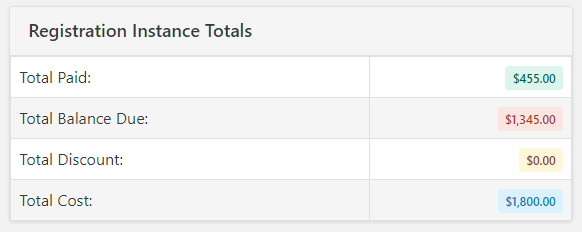
This report will help your event organizers keep quick and easy track of the amount paid, due, and how much has been discounted for an event in one quick and easy report.
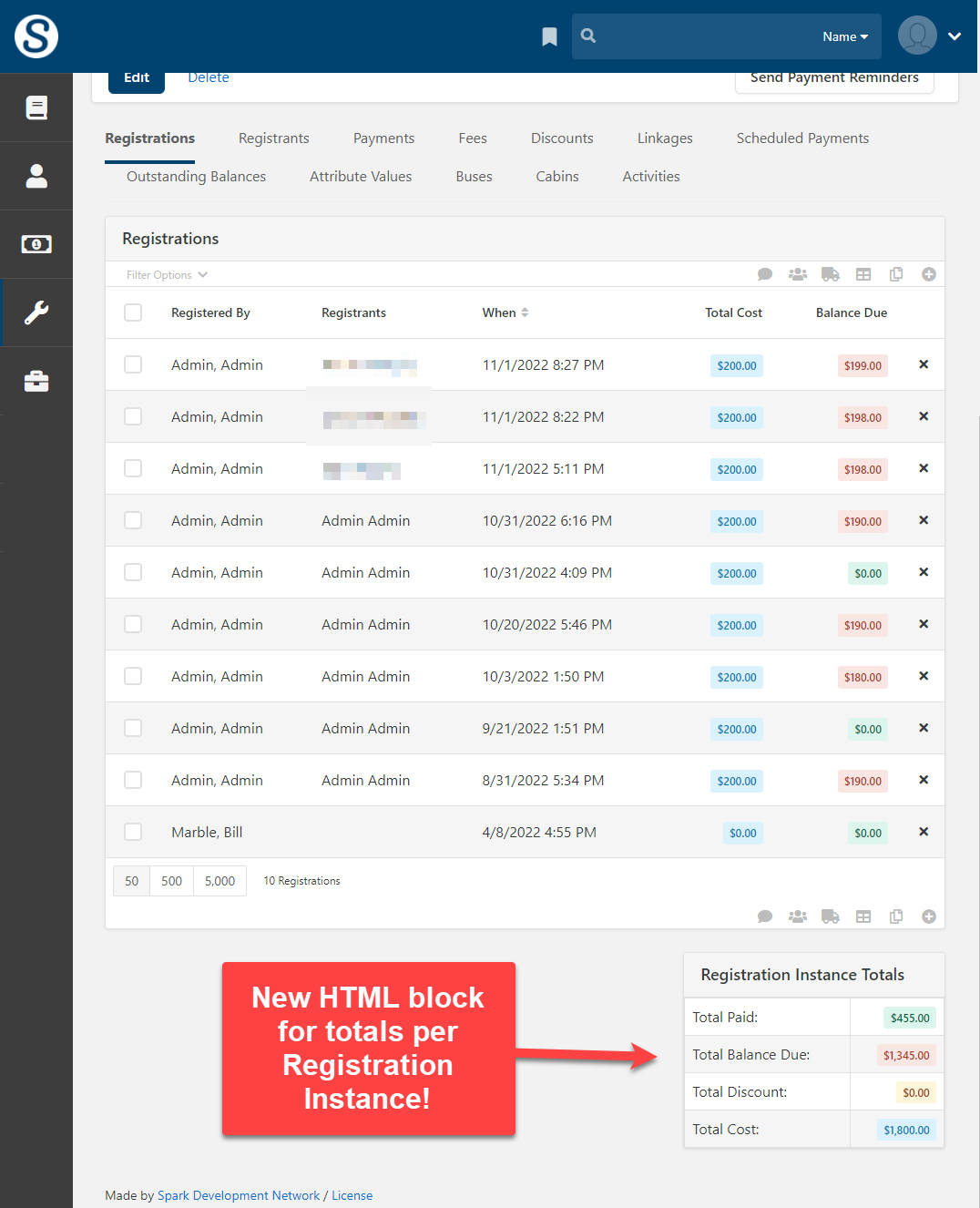
Set Up:
- Navigate to the Event Registration Page (Tools -> Event Registration)
- Select an Active Registration Instance from the 'Active Registration Instance List' Block
- On the Registrations page of the Registration Instance page show the Page Zones by selecting the Page Zone button on the admin bar or by pressing Alt + Z on Windows or Ctrl + Opt + Z for Mac

- Scroll down to the bottom of the page and find 'Section D' and select the 'Zone Blocks' setting

- Press the '+' on the 'SectionD Zone' block or press Alt + N on Windows or Ctrl + Opt + N for Mac
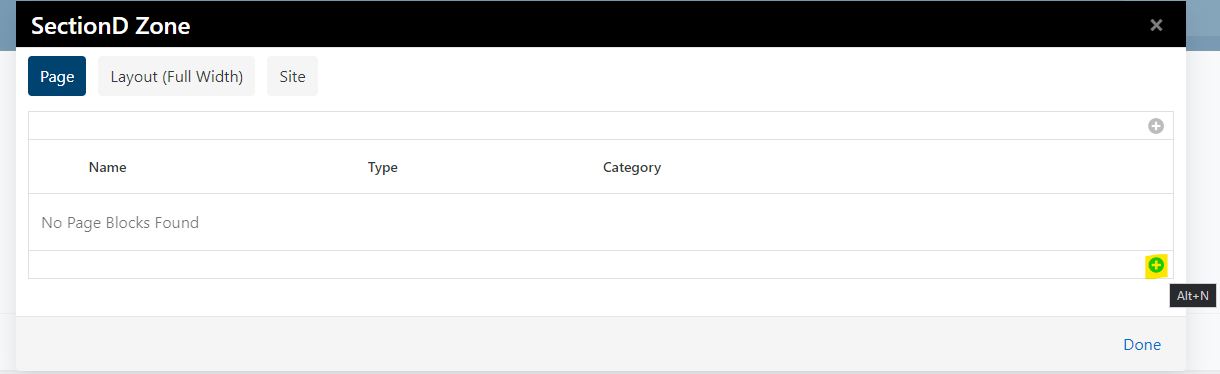
- Add a name to the Name field. Make sure the default Type of 'HTML Content' is selected, select 'Save,' and select 'Done' last.
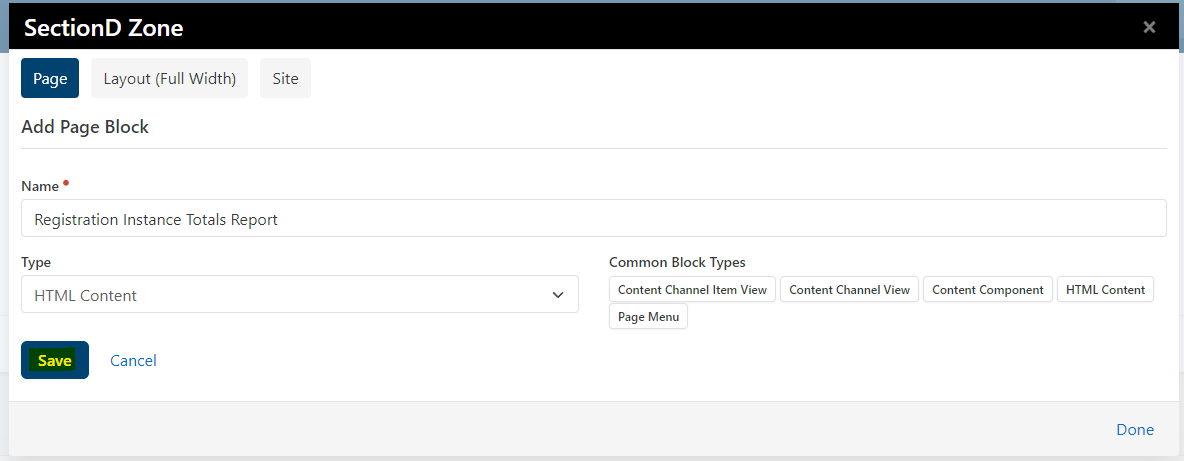
- Show the Block Configuration Setting by selecting 'Block Configuration' on the Admin Bar or by pressing Alt + B on Windows or Ctrl + Opt + B for Mac

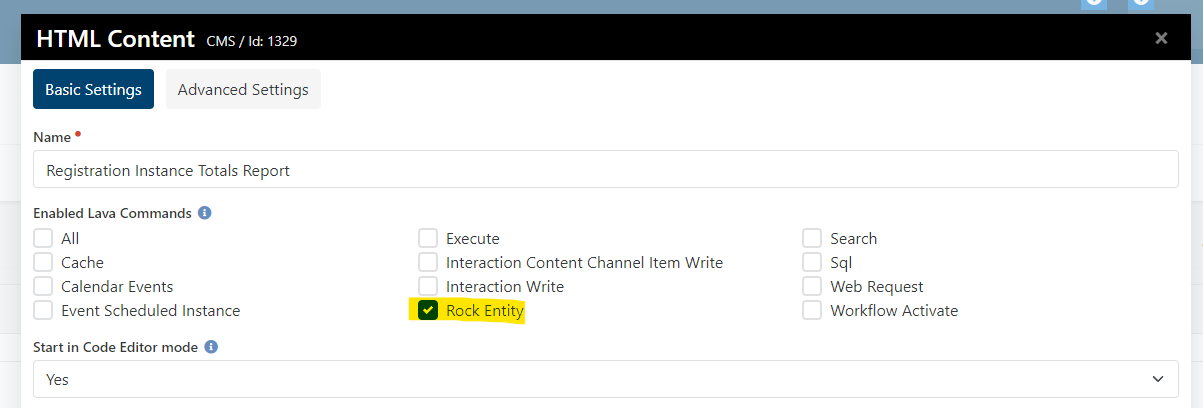
- Hover over the arrow in Section D where the new HTML Block that was just created and press the 'Block Properties' button

- Under the 'Enable Lava Commands' settings select the 'Rock Entity' setting and select 'Save'
- Hover over the arrow in Section D where the new HTML Block that was just created and press the 'Edit HTML' button

- Copy this LAVA to the HTML Block and select 'Save'
{% assign InstanceId = 'Global' | PageParameter:'RegistrationInstanceId' %}
{% assign TotalBalanceDue = 0 %}
{% assign TotalCostAmount = 0 %}
{% assign TotalPaidAmount = 0 %}
{% registration where:'RegistrationInstanceId == {{InstanceId}}' %}
    {% for registration in registrationItems %}
        {% assign TotalBalanceDue = TotalBalanceDue | Plus: registration.BalanceDue %}
        {% assign TotalCostAmount = TotalCostAmount | Plus: registration.TotalCost %}
        {% assign TotalPaidAmount = TotalPaidAmount | Plus: registration.TotalPaid %}
    {% endfor %}
{% endregistration %}

{% assign TotalDiscountAmount = TotalCostAmount | Minus:TotalPaidAmount | Minus:TotalBalanceDue  %}

<div class="panel panel-block">
    <div class="panel-heading">
        <h1 class="panel-title">Registration Instance Totals</h1>
    </div>
    <div class="panel-body padding-all-none">
        <table class="table table-bordered table-striped">
            <tbody>
                <tr>
                    <td>
                        Total Paid:
                    </td>
                    <td class="text-right">
                        <span class="label label-success">{{ TotalPaidAmount | FormatAsCurrency }}</span>
                    </td>
                </tr>
                <tr>
                    <td>
                        Total Balance Due:
                    </td>
                    <td class="text-right">
                        <span class="label label-danger">{{ TotalBalanceDue | FormatAsCurrency }}</span>
                    </td>
                </tr>
                <tr>
                    <td>
                        Total Discount:
                    </td>
                    <td class="text-right">
                        <span class="label label-warning">{{ TotalDiscountAmount | FormatAsCurrency }}</span>
                    </td>
                </tr>
                <tr>
                    <td>
                        Total Cost:
                    </td>
                    <td class="text-right">
                        <span class="label label-info">{{ TotalCostAmount | FormatAsCurrency }}</span>
                    </td>
                </tr>
            </tbody>
        </table>
    </div>
</div>
- If set up correctly the block should appear like this on Registration Instance Pages
Screenshots
- /GetImage.ashx?guid=6de10d59-2c22-4e71-b361-024a2d051245