Recipe - Contribution Statements Hub 2.0
Skill level: Intermediate
Organization: Simple
Requires Rock: 1.9.0
{# strip images & classes from the HTML but otherwise leave structure #}
Introduction
Note: For RX 2021 I posted this recipe to introduce a "choose your own adventure" model for creating and sending out the yearly contribution statements. It was a very burdensome process to piece together the number of internal Rock pages and page menus in order to handle the email versus print priority for statements. While partnering with a few other churches during the new changes to contribution statements in v13 I developed a new statement hub which only requires 1 Rock page using a single Page Parameter and Dynamic Data block.
As with the previous recipe, the same rules of setting up your Data Views in order to return persons who have given still applies. I find it helpful to have a TY and LY or This Year (Current Year) and Last Year set of Data Views.
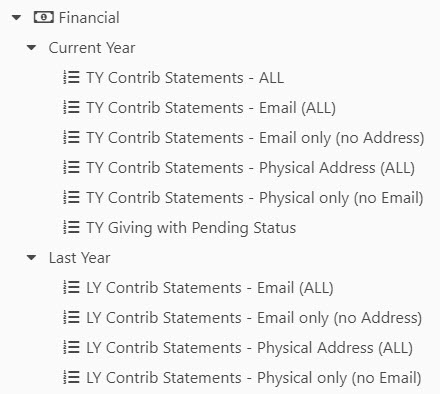
- Create your Data Views for givers
turn on persistence or you can't return records from Data View results via SQL
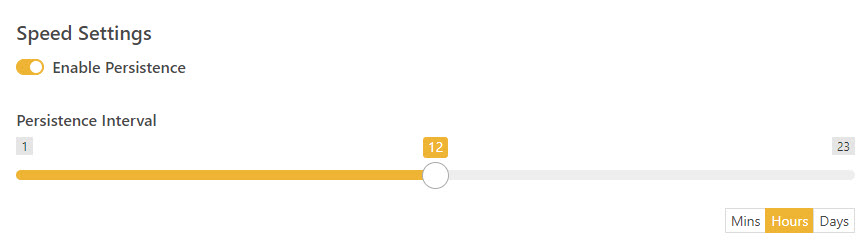
- Add a Page Parameter Block to the Page
Filters
Step 2A - Select Statement Type (Field Type = Single-Select, Drop Down List)
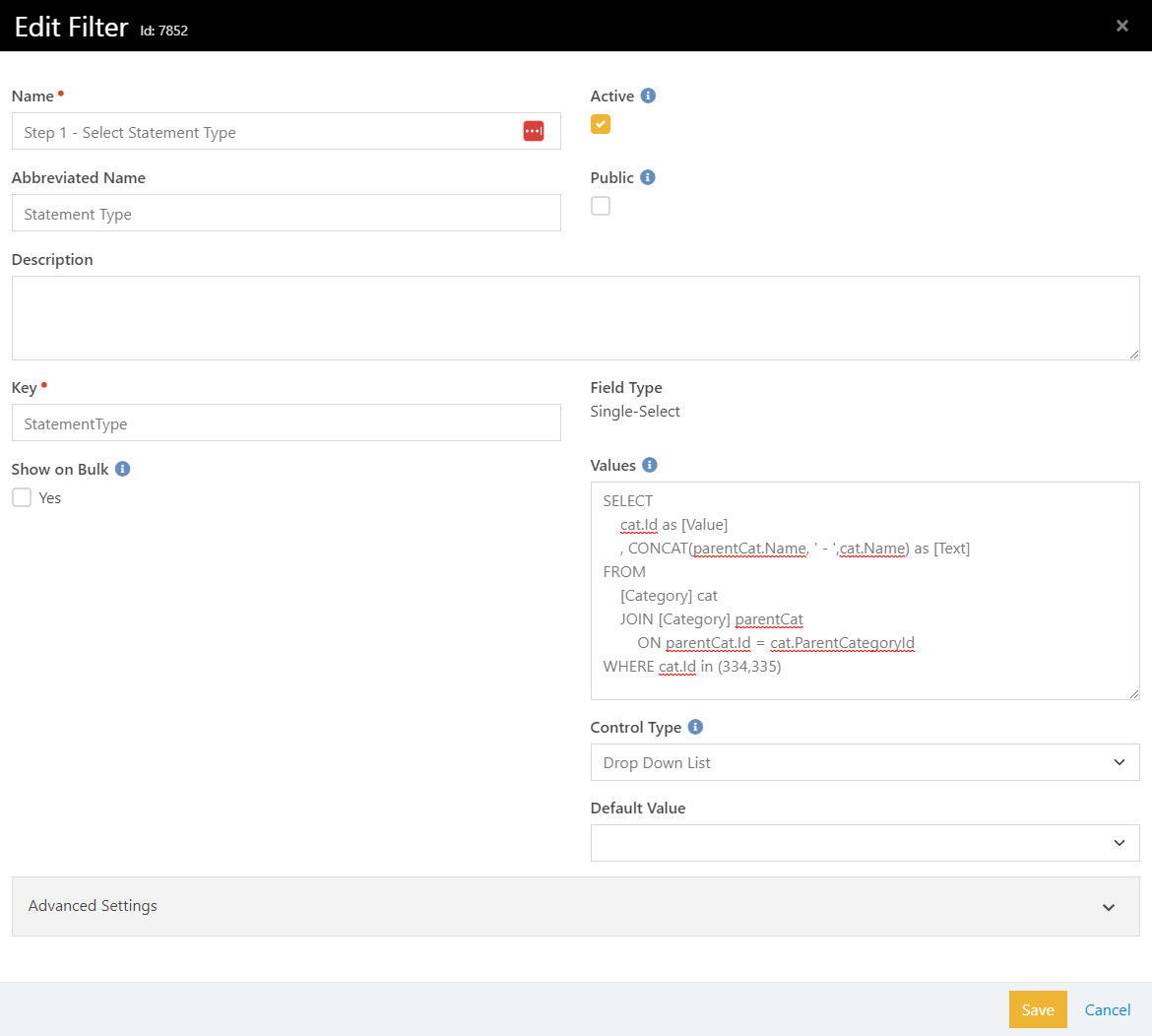
This is where you go 🤯 and realize that you can put both lava and/or sql into the Values field of a Page Parameter filter. Yes you can, but ensure that you only return 2 fields (Value and Text).
                SELECT
                    cat.Id as [Value]
                    , CONCAT(parentCat.Name, ' - ',cat.Name) as [Text]
                FROM
                    [Category] cat
                    JOIN [Category] parentCat
                        ON parentCat.Id = cat.ParentCategoryId
                WHERE cat.Id in (334,335) -- update to your relevant Data View folders/category Ids
Step 2B - Select Contribution Statement (Field Type = Single-Select, Drop Down List)
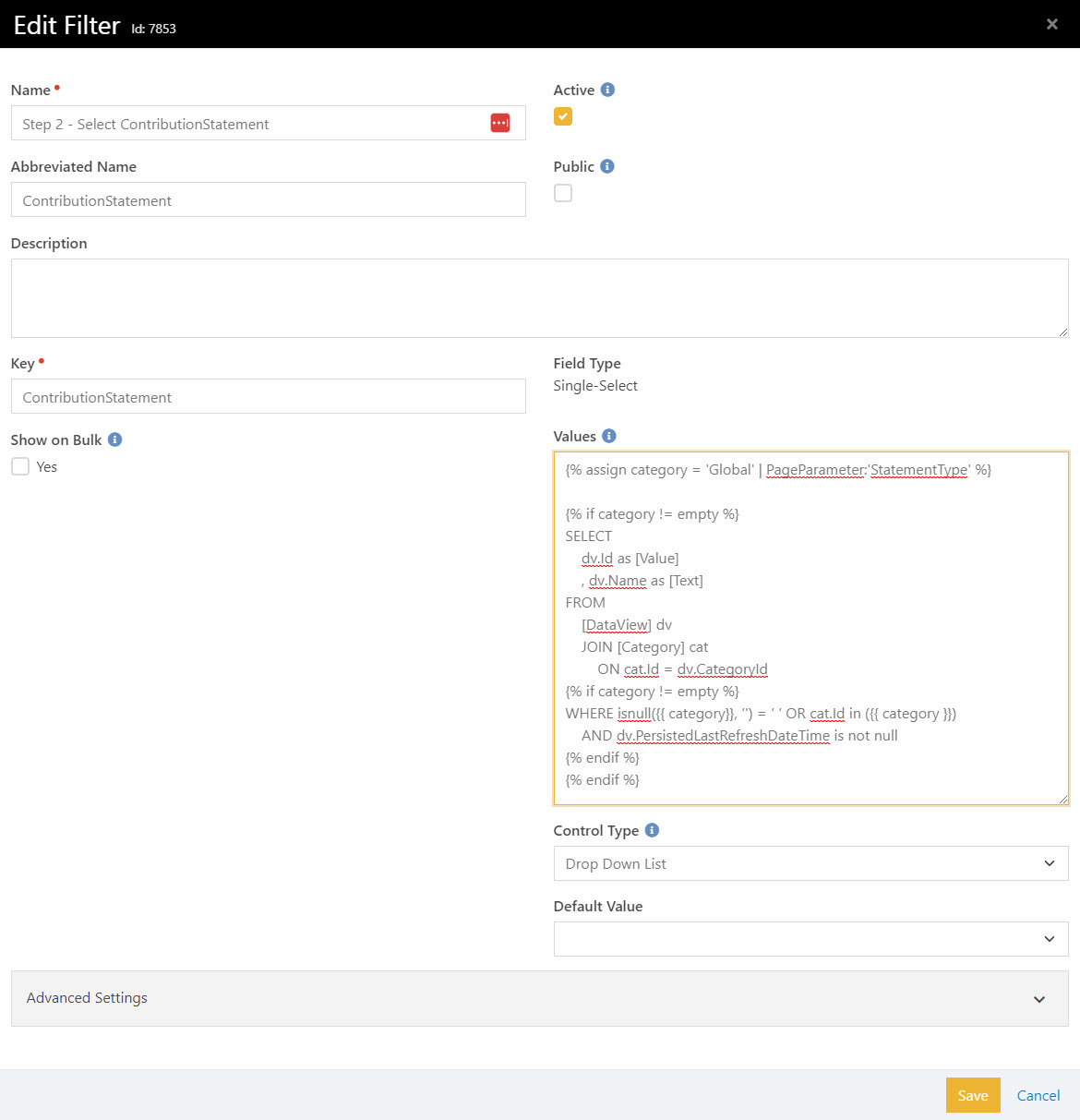
                {% assign category = 'Global' | PageParameter:'StatementType' %}

                {% if category != empty %}
                SELECT
                    dv.Id as [Value]
                    , dv.Name as [Text]
                FROM
                    [DataView] dv
                    JOIN [Category] cat
                        ON cat.Id = dv.CategoryId
                {% if category != empty %}
                WHERE isnull({{ category}}, '') = ' ' OR cat.Id in ({{ category }})
                    AND dv.PersistedLastRefreshDateTime is not null
                {% endif %}
                {% endif %}
Step 2C - Select Statement Preference (Field Type = Single-Select. Radio Buttons)
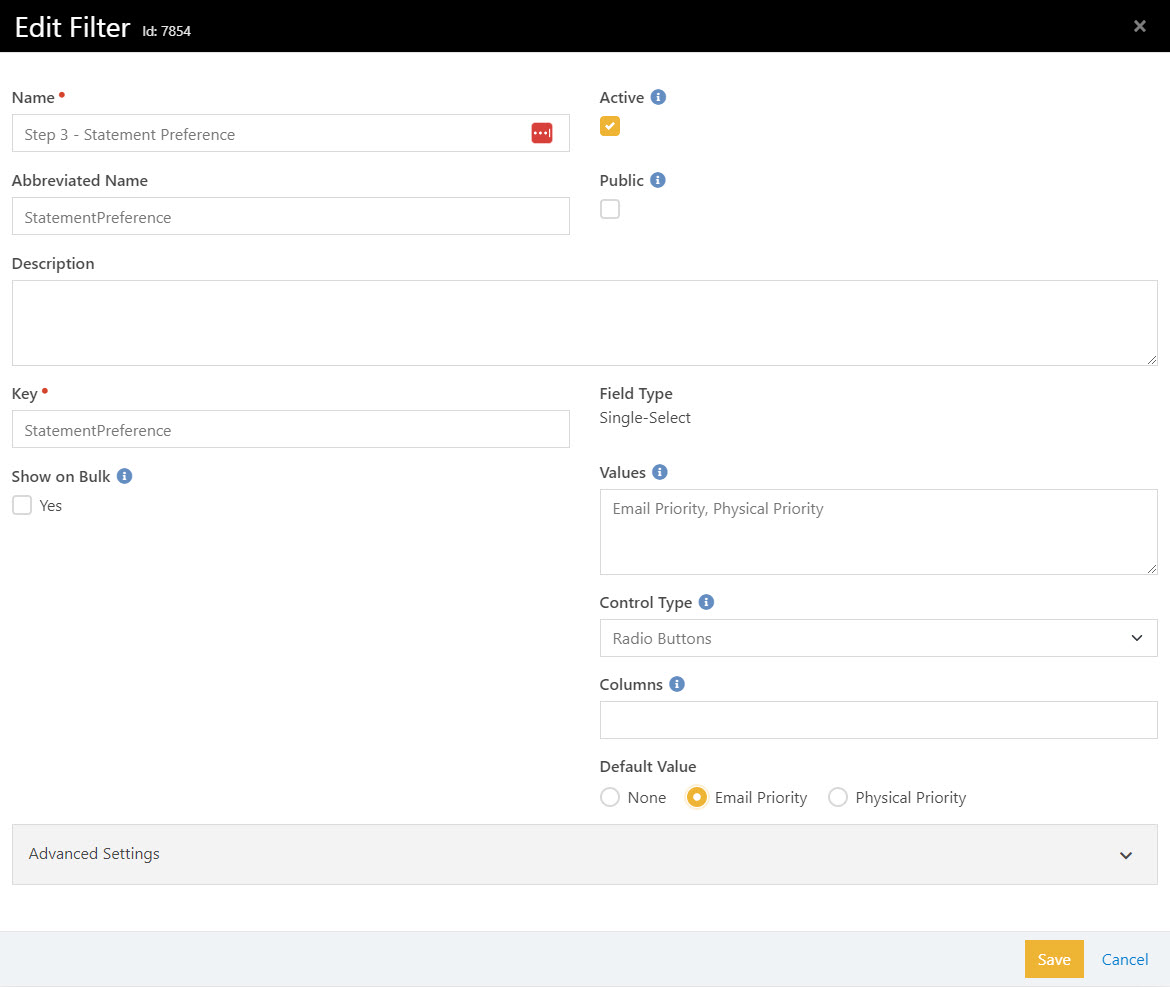
Email, Physical
Step 2D - Change Page Parameter Block Settings
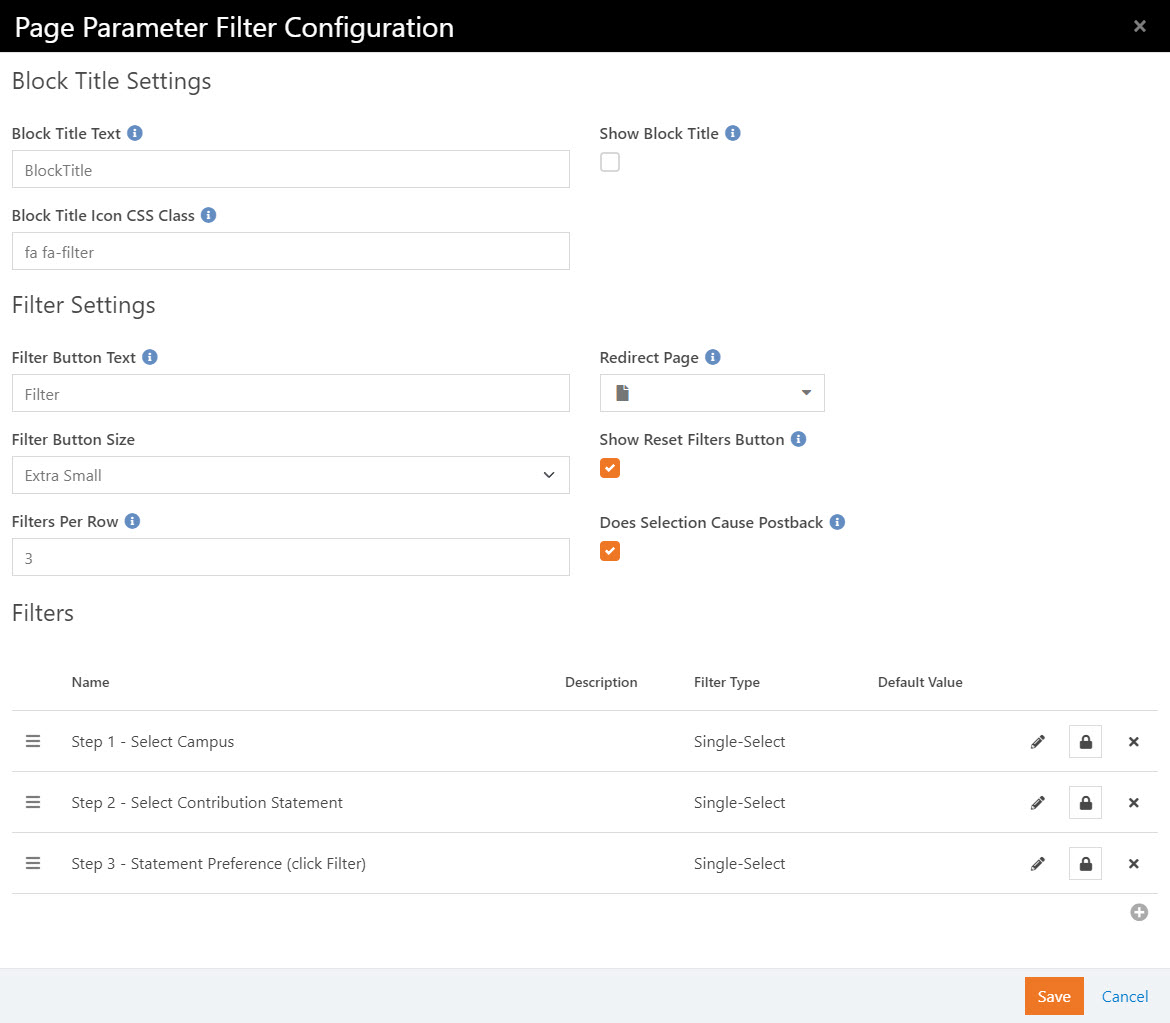
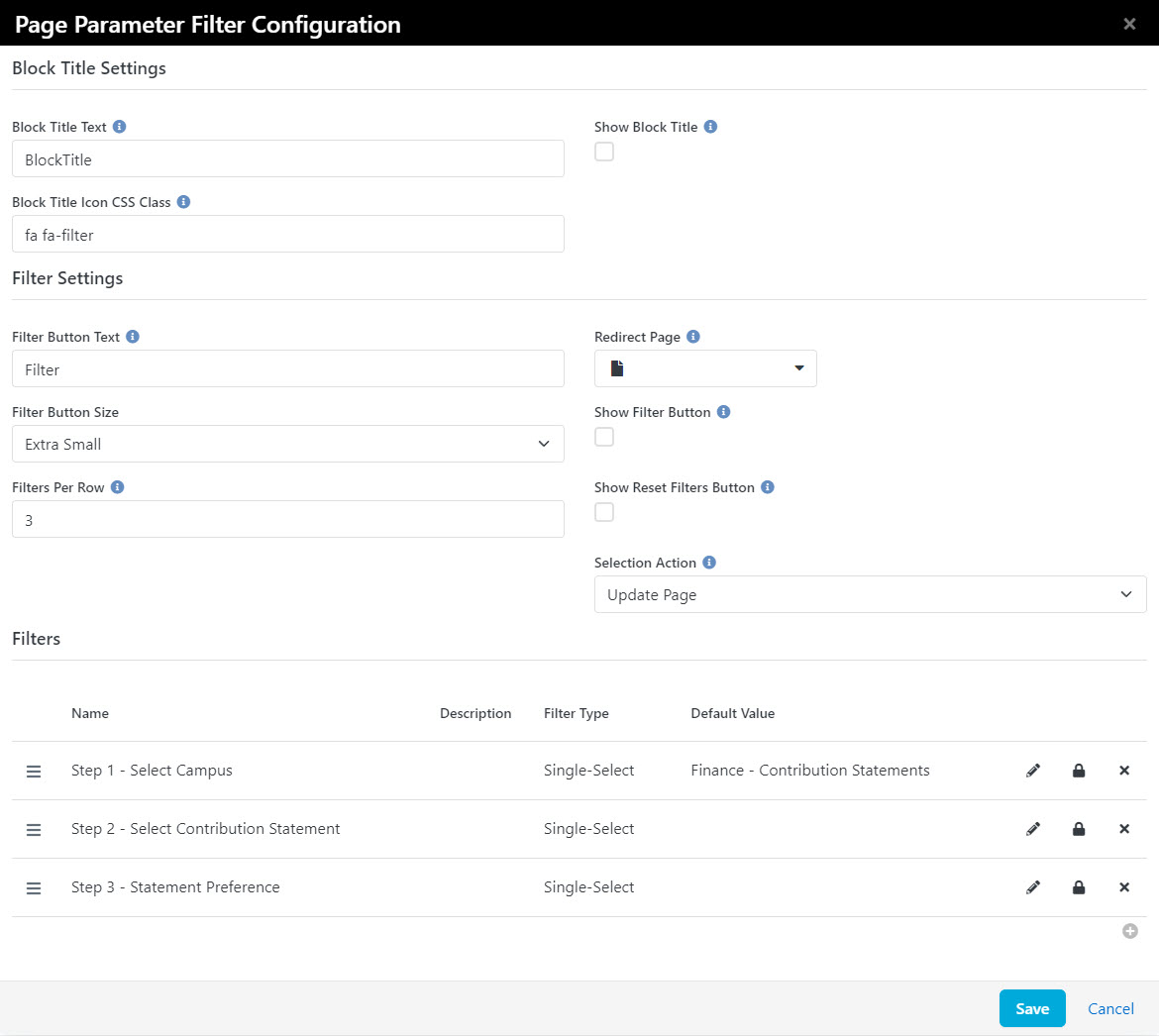
The Page Parameter block does work differently in all versions v12 and prior compared to v13 onwards. There are settings in the post-back behavior. Note the differences in these screenshots. If you don't turn these settings on, the user will have to click the filter button upon each selection step. Ideally the page will update as they continue through the steps with the settings as shown. In v12 they will have to click the filter button after all selections are made. In v13 the results will appear as the selections are made, no need for the filter button.
Rock v12 and prior
Rock v13 and later
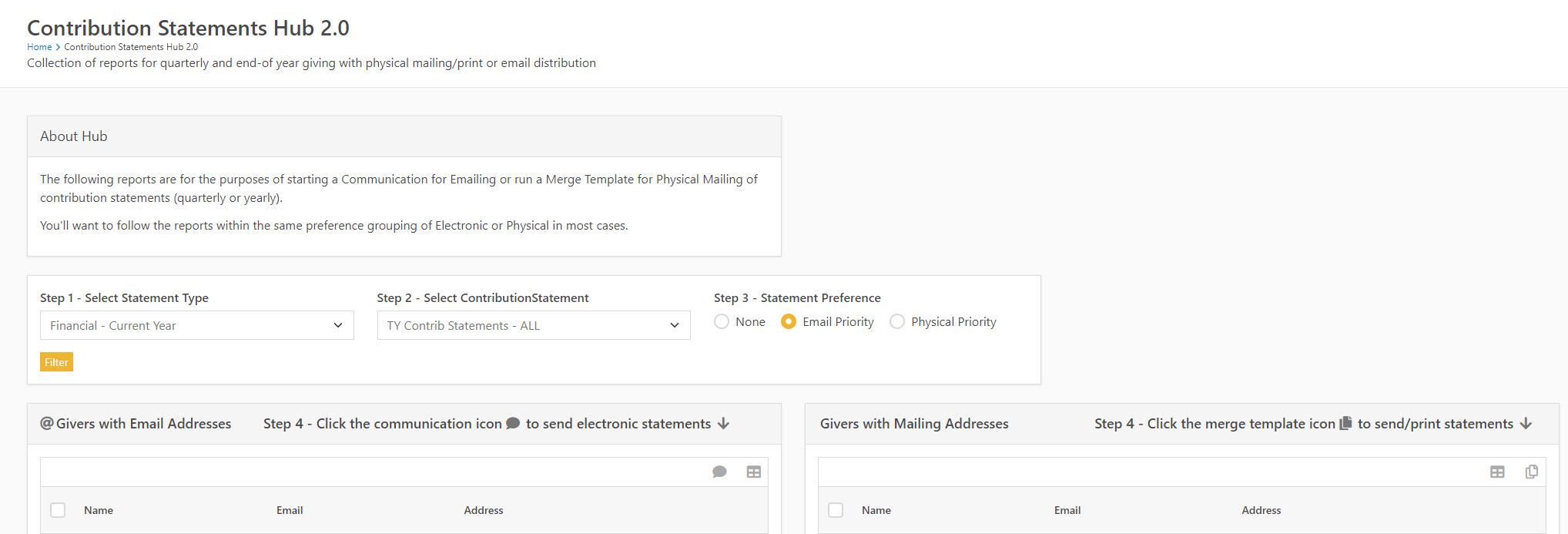
- Add 2 Dynamic Data Blocks to the Page (One for emails and one for physical addresses). The WHERE statements in these two blocks are entirely subjective. Adjust to your needs.
Dynamic Data Block (Data View records returned by Page Parameter filter)
Query for Emails
            {% assign statement = 'Global' | PageParameter:'ContributionStatement' %}
            {% assign preference = 'Global' | PageParameter:'StatementPreference' %}

            {% if statement != empty and preference != '' %}
            SELECT
                Distinct(p.Id)
                , CONCAT(p.FirstName, ' ', p.LastName) as [Name]
                , p.Email
                , p.LastName
            FROM DataViewPersistedValue dvpv
                JOIN Person p ON p.Id = dvpv.EntityId
                JOIN [DataView] dv ON dv.Id = dvpv.DataViewId
                JOIN [AnalyticsDimPersonCurrent] dp ON dp.PersonId = p.Id
                {% if statement != empty and preference != '' %}
                WHERE
                    {% if preference == 'Email' %}
                        p.Email != ''
                    {% elseif preference == 'Physical' %}
                        dv.Name like '%Email%only%'
                        AND dp.MailingAddressGeoPoint is null
                    {% else %}
                    {% endif %}
                {% else %}
                {% endif %}
            GROUP BY p.Id, p.FirstName, p.LastName, p.Email, dp.MailingAddressFull
            ORDER BY p.LastName
            {% else %}
            {% endif %}
Query for Physical Mailing
            {% assign statement = 'Global' | PageParameter:'ContributionStatement' %}
            {% assign preference = 'Global' | PageParameter:'StatementPreference' %}

            {% if statement != empty and preference != '' %}
            SELECT
                Distinct(p.Id)
                , CONCAT(p.FirstName, ' ', p.LastName) as [Name]
                , p.Email
                , p.LastName
                , CASE WHEN dp.MailingAddressFull is null THEN '' ELSE dp.MailingAddressFull END as [Address]
            FROM DataViewPersistedValue dvpv
                JOIN Person p ON p.Id = dvpv.EntityId
                JOIN [DataView] dv ON dv.Id = dvpv.DataViewId
                JOIN [AnalyticsDimPersonCurrent] dp ON dp.PersonId = p.Id
                JOIN [Category] cat
                    ON cat.Id = dv.CategoryId
                {% if statement != empty and preference != '' %}
                WHERE
                    {% if preference == 'Email' %}
                        p.Email = ''
                        AND dv.Name like '%Physical%only%'
                        AND dp.MailingAddressGeoPoint is not null
                    {% elseif preference == 'Physical' %}
                        dv.Name like '%Physical%all%'
                        AND dp.MailingAddressGeoPoint is not null
                    {% else %}
                    {% endif %}
                {% else %}
                {% endif %}
            GROUP BY p.Id, p.FirstName, p.LastName, p.Email, dp.MailingAddressFull
            ORDER BY p.LastName
            {% else %}
            {% endif %}
Parameters
@ContributionStatement=, @StatementPreference=
Hide Columns
Id, LastName, DataView
Selection URL
/Person/{Id}
Formatting Options (select the following options
- Person Report
- Communicate
- Excel Export
- Merge Template
- Dynamic Data Block Styling (hide results until page parameter settings are filled)
Records with Emails
PRE-HTML field
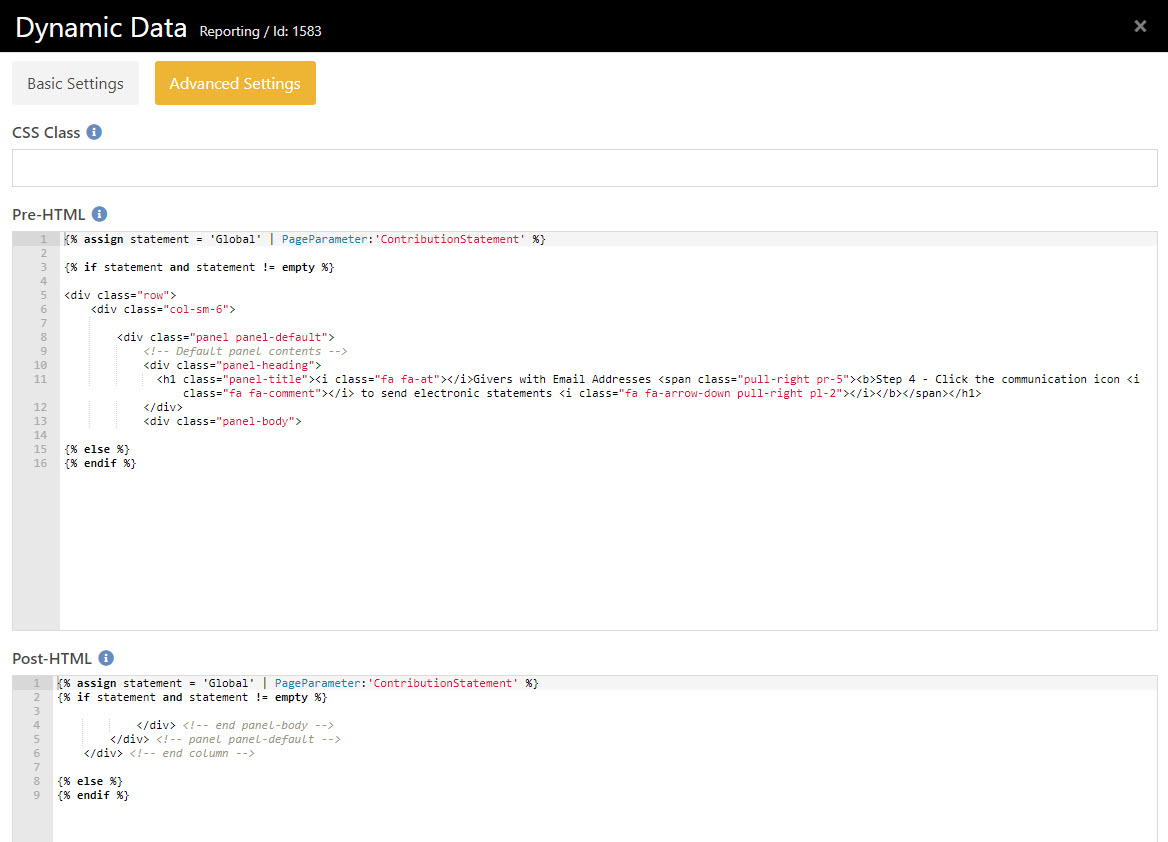
see attachment for code block
POST-HTML field
see attachment for code block
Records with Physical Addresses
PRE-HTML field
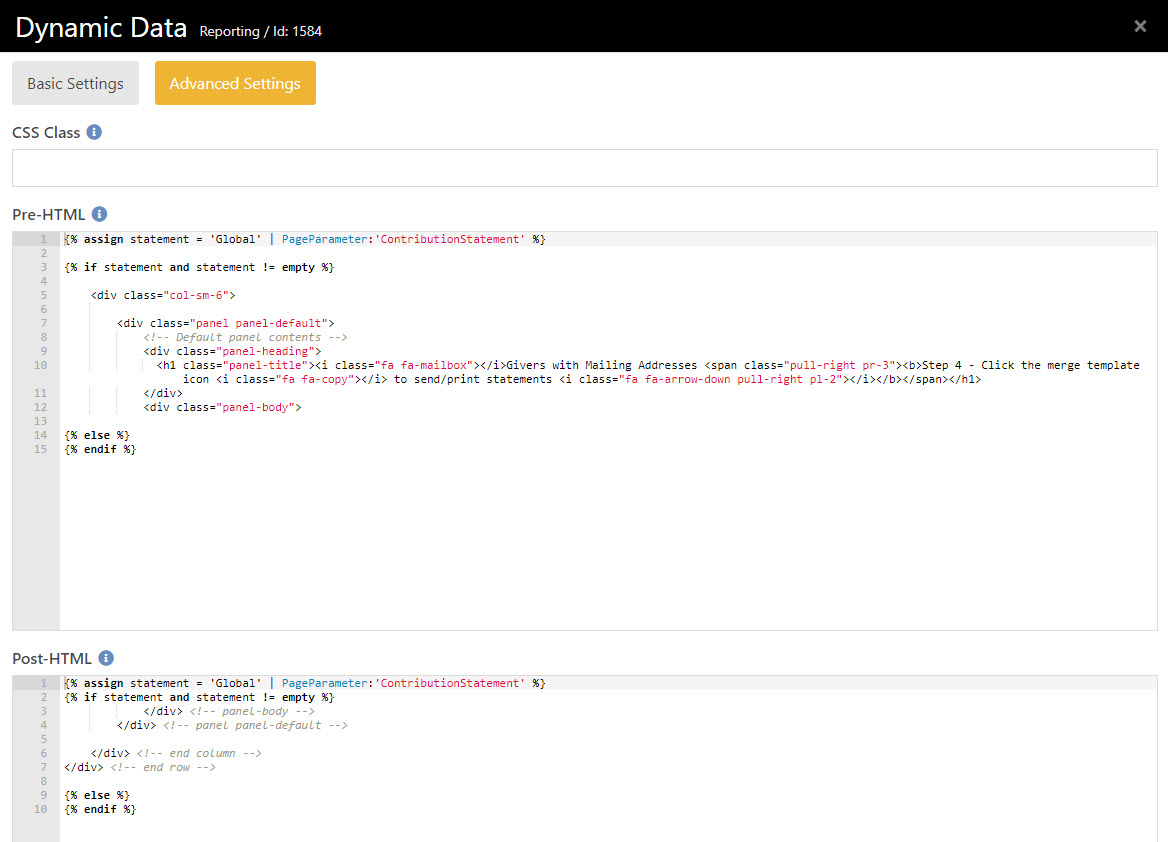
see attachment for code block
POST-HTML field
see attachment for code block
Download related file (contributionStatementsHub2_DynamicDataBlock_PrePostCode.html)
Screenshots
- /GetImage.ashx?guid=7f9b94f3-2ca6-4f1b-a086-2dc31e9b5d9e