Recipe - SQL / Dynamic Data Block Based on Dates
Skill level: Intermediate
Organization: Grace Church - SC
{# strip images & classes from the HTML but otherwise leave structure #}
Based on a request in Rocket Chat, I wrote this recipe to show an example of returning a list of people based on CreatedDateTime. You can adjust based on what data you are specifically after.
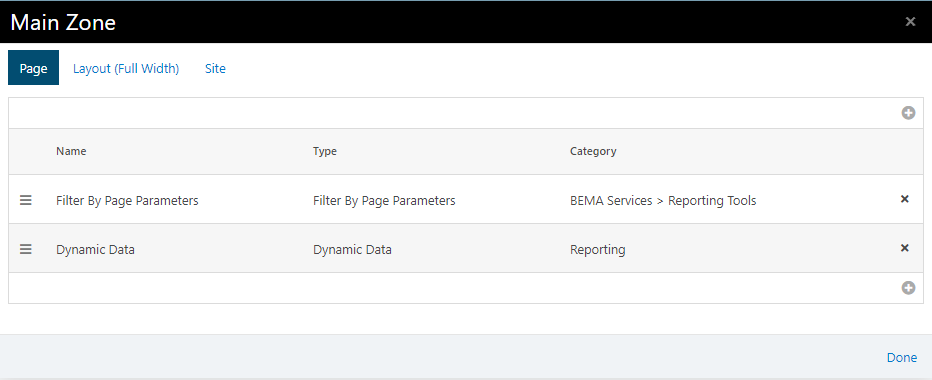
Two blocks needed on the page:
- Filter by Page Parameters (I have information below for both the BEMA and the Pillars blocks, the instructions are slightly different)
- Dynamic Data
To query for a Specific Date
This assumes your page has a filter by page parameter block with a filter whose key is “CreatedDate” and Field Type is “Date”.
The query section of the Dynamic Data Block
SELECT P.Id, P.FirstName, P.LastName, P.CreatedDateTime
FROM Person P
WHERE Cast(P.CreatedDateTime as Date) = @CreatedDate
The Parameter in the Dynamic Data Block
@CreatedDate=
See Screenshot below
To query based on a date range
This assumes your page has a filter by page parameter block with a filter whose key is “CreatedDate” and Field Type is “Date Range”.
- If you use the BEMA filter by page parameter block, you will need to split the string for the date range based on a delimiter of a comma. (I have attached a function that you can create on your SQL server if you don’t have one that will split strings based on the delimiter that you pass in.
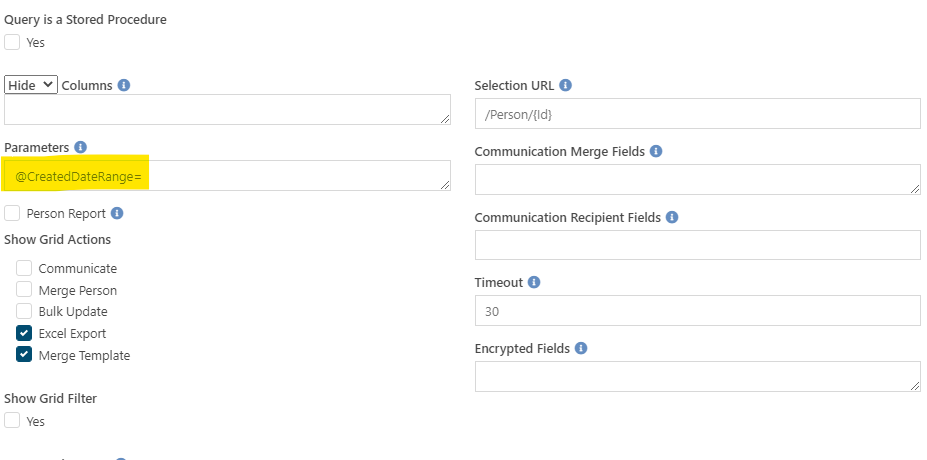
- The parameter needed for this block is "@CreatedDateRange=".
The query for the dynamic data block:
DECLARE @CreatedDateRangeStart DATE
DECLARE @CreatedDateRangeEnd DATE
SELECT @CreatedDateRangeStart = (SELECT d.Item from dbo.fnGrace_SplitStrings(@CreatedDateRange, ',') d where d.Number = 1)
SELECT @CreatedDateRangeEnd = (SELECT d.Item from dbo.fnGrace_SplitStrings(@CreatedDateRange, ',') d where d.Number = 2)
IF @CreatedDateRangeStart IS NOT NULL OR @CreatedDateRangeEnd IS NOT NULL
BEGIN
    SELECT P.Id, P.FirstName, P.LastName, P.CreatedDateTime
    FROM Person P
    WHERE Cast(P.CreatedDateTime as Date) >= isnull(@CreatedDateRangeStart,
Cast(P.CreatedDateTime as Date))
            and Cast(P.CreatedDateTime as Date) < isnull(@CreatedDateRangeEnd, Cast(P.CreatedDateTime as Date))
END
- If you use the Pillars filter by page parameter block, it creates 3 page parameters for you (CreatedDateRange, CreatedDateRangeStart and CreatedDateRangeEnd) just by you creating the one with the Key “CreatedDateRange”. There is no need to split the string, as that has been done for you.
- The parameters needed for this block is "@CreatedDateRange=,@CreatedDateRangeStart=@CreatedDateRangeEnd=".
The query for the dynamic data block:
SELECT P.Id, P.FirstName, P.LastName, P.CreatedDateTime
FROM Person P
WHERE Cast(P.CreatedDateTime as Date) >= isnull(@CreatedDateRangeStart, Cast(P.CreatedDateTime as Date)) and Cast(P.CreatedDateTime as Date) < isnull(@CreatedDateRangeEnd, Cast(P.CreatedDateTime as Date))
I wrote this quick, so if you have questions, feel free to reach out. :)
Download related file (Split_String_Function.sql)